AOSplane runs coding agents for your team. Every task gets its own private sandbox, only starts if it fits your budget, and asks you before doing anything sensitive.
From a Linear issue to a pull request, asking you once.
Runs the coding agents your team already uses
Claude Code
Codex
KiroPreview
CursorPreview
TowerPreview
Claude Code
Codex
KiroPreview
CursorPreview
TowerPreview
Takes work from where your team already works
Linear
Jira
SlackRolling out
API
Linear
Jira
SlackRolling out
API
How it works
From task to pull request, in three steps.
Your team keeps working the way it does today. Agents pick up the tasks you hand them and send back changes you can review.
01
Connect your accounts
Link your own AI account and your GitHub repositories. Model costs go straight to your AI provider, with no markup.
02
Hand off a task
Write it in the console, start it from a Linear or Jira issue, hand an issue to AOSplane inside Linear, or send it over the API. Choose which agent and model takes it.
03
Review the pull request
The agent works in its own sandbox in the cloud. It can’t push to your repository, so every change comes back as a pull request for you to review.
Tasks
3 running · $3.70 today
Example
Add usage-based billing to the API
Claude Code
Writing code
$0.84
Fix the flaky checkout test
Codex
Running tests
$0.31
Migrate the orders table
Codex
Needs you
$0.12
Upgrade the Postgres client
Claude Code
PR #482 ready
$0.42
Connections
Starts where your team works. Runs on your own account.
Hand off work from the tools your team already uses, give agents only the tools you allow, and keep model costs on your own AI account.
01
Where work comes from
Start work where your team already plans it. However it starts, every change comes back as a pull request.
Console
Write a task or keep a backlog. The Needs you tab lists everything agents are waiting on you for.
GitHub
Link repositories to a project. Review pull requests with their checks, ask for an AI review, approve and merge without leaving AOSplane.
Linear
Start a session from an issue, or hand the issue to AOSplane inside Linear. It answers in the issue, and your reply keeps the session going.
Jira
Browse your Jira Cloud site with JQL, create issues, add comments and start a session from any issue.
SlackRolling out
Mention @AOSplane or use /aos. Each channel can have its own project, agent and rules for what members may do.
API
Project API keys let CI pipelines and scripts start and follow sessions, in one project and one environment.
02
What agents can use
Each project decides which apps its agents may use, with whose account, and which tools need a person’s approval first.
ToolsRolling out
Turn on apps from a catalog, like GitHub, Linear, Sentry and documentation search. Admins can add your own tool server.
Tool rules and activityRolling out
Choose which tools need approval, under a limit admins set. Every call is logged with the rule that decided it.
MCP servers
Add MCP servers to an agent’s settings to give it extra tools.
Memory
Short notes, up to 1,000 characters each, that the agent gets with every message.
03
Whose models run it
Your own AI account. The provider bills you directly, with no markup. Accounts belong to the organization or to one person, and a known expiry date is flagged 30 days ahead.
Anthropic or OpenAI
An API key: Anthropic for Claude Code, OpenAI for Codex.
Amazon Bedrock
A bearer token, or an AWS role for Claude Code.Works with Claude Code and Codex
Claude Platform on AWS
An AWS role or an API key.Works with Claude Code
Azure OpenAI
Your deployment’s address and an API key.Works with Codex
Kiro or CursorPreview
An API key: Kiro for Kiro, Cursor for Cursor’s agent.
Custom provider
Any other compatible provider, with its address and key.Works with Claude Code, Codex and Kiro
Claude or ChatGPT subscriptionRolling out
A plan you already pay for: Claude for Claude Code, ChatGPT for Codex. Always personal.
The console
Start, follow and check every task in one place.
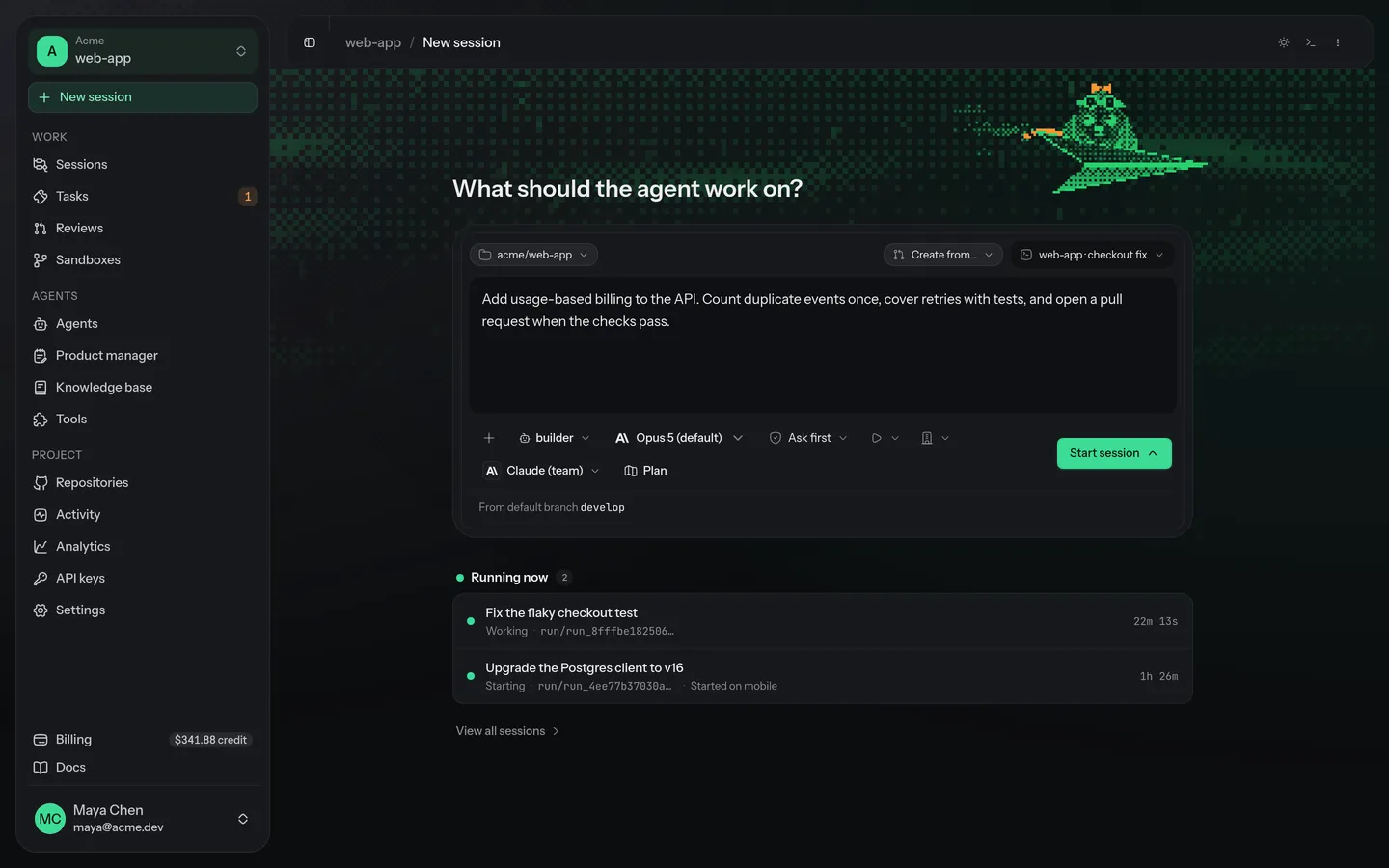
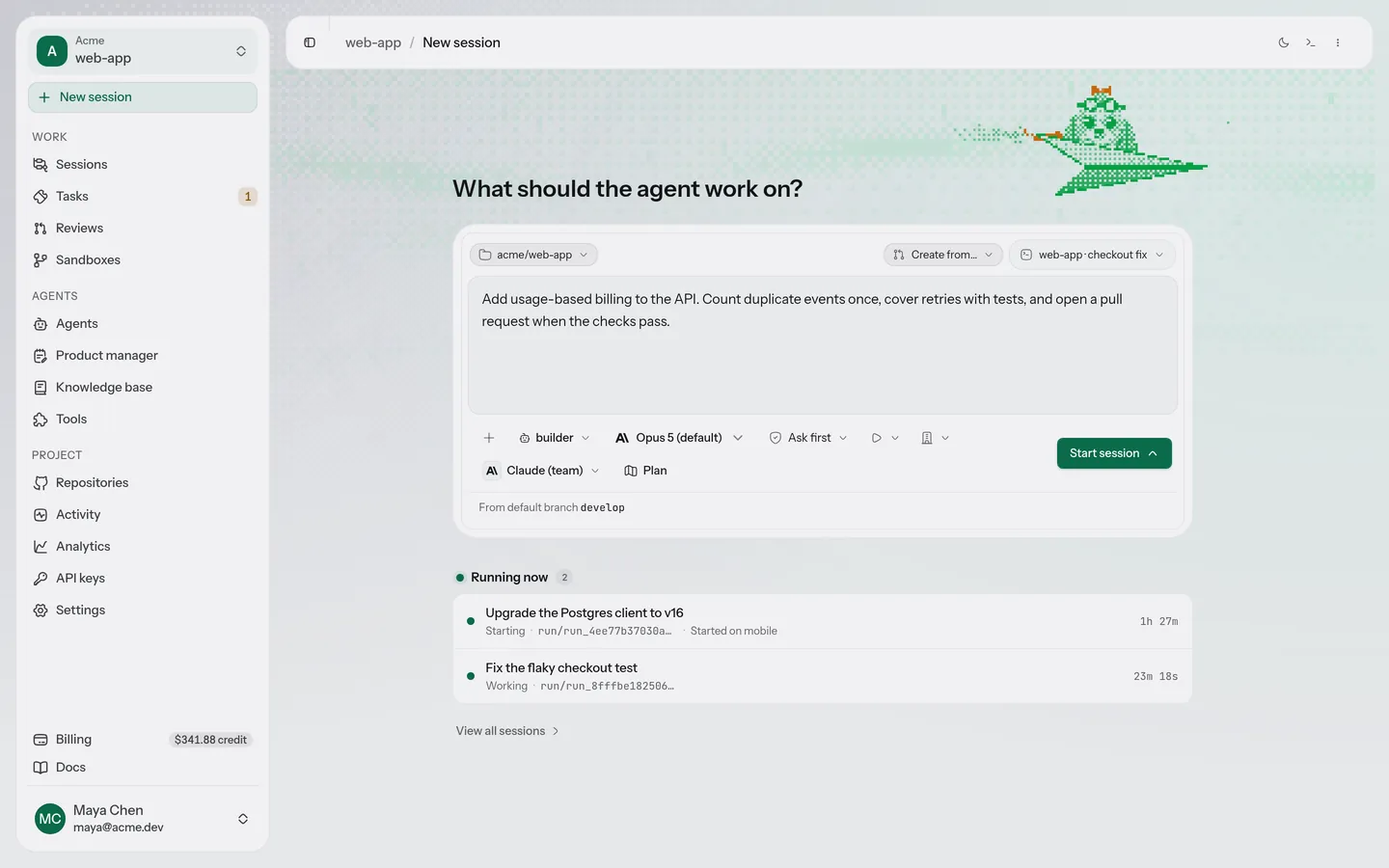
Real screens from the AOSplane console. Only the names are samples.
Describe what done looks like, pick the repository and the agent, and choose whether it asks you first.
Mobile app
Your agents keep working. You keep the call.
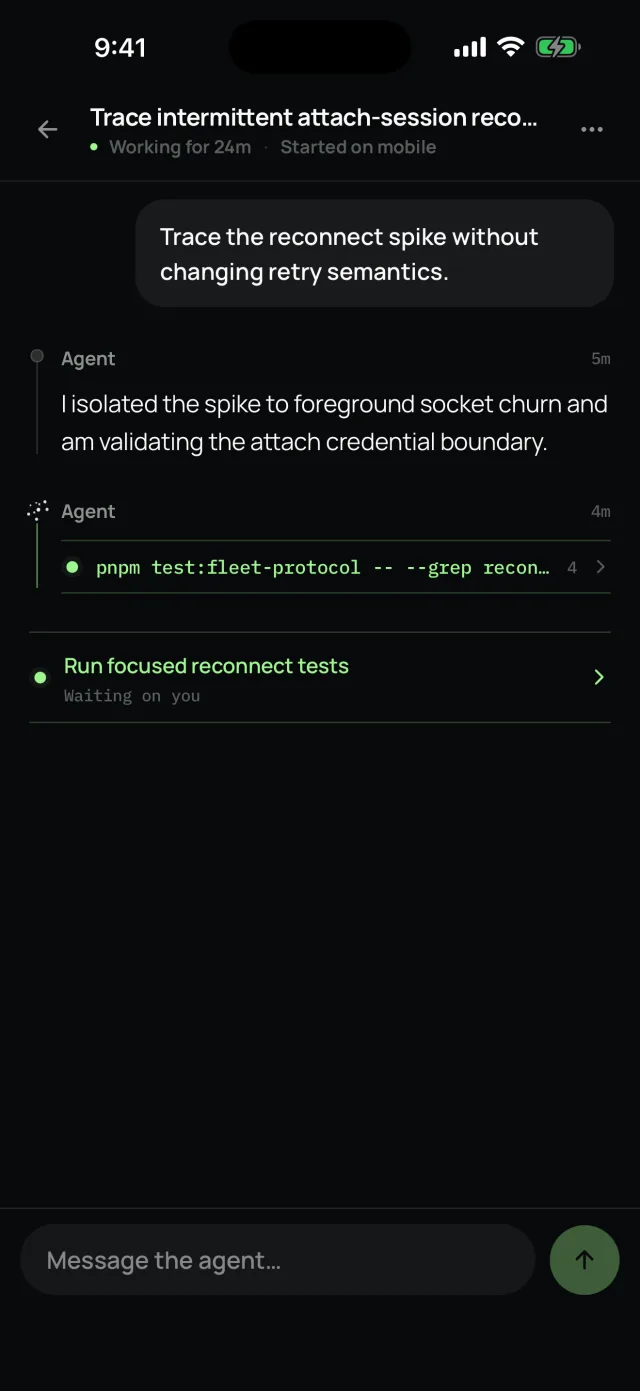
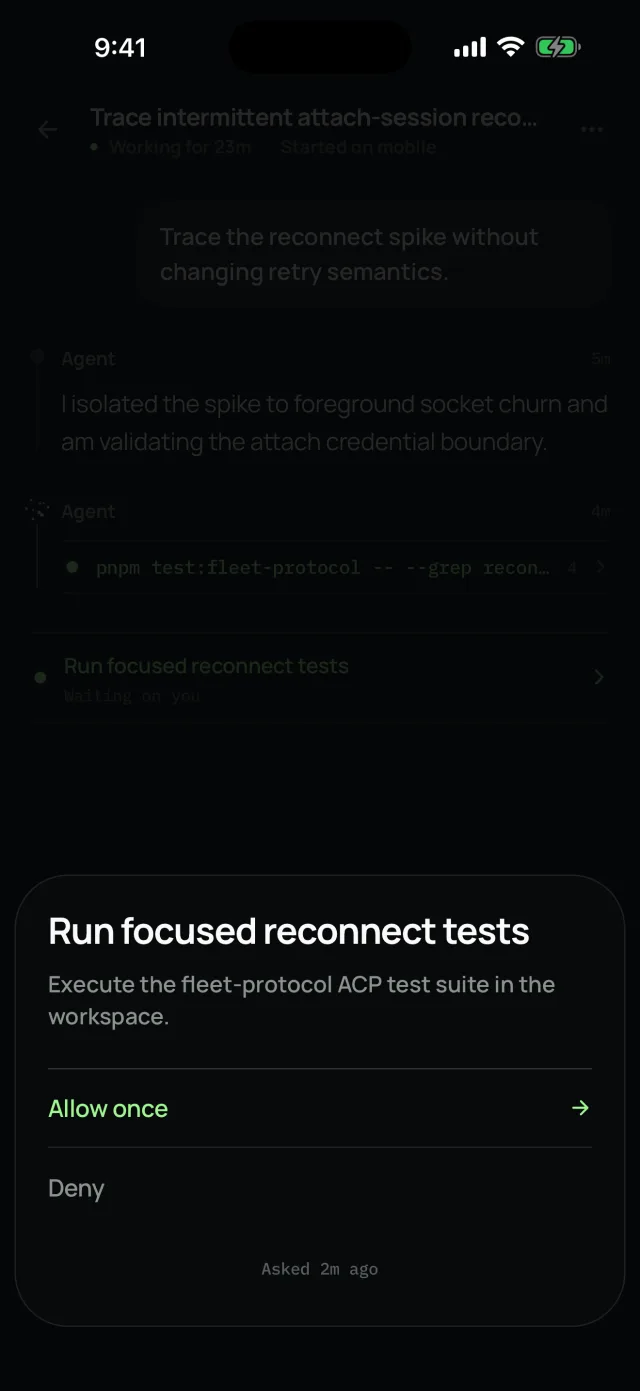
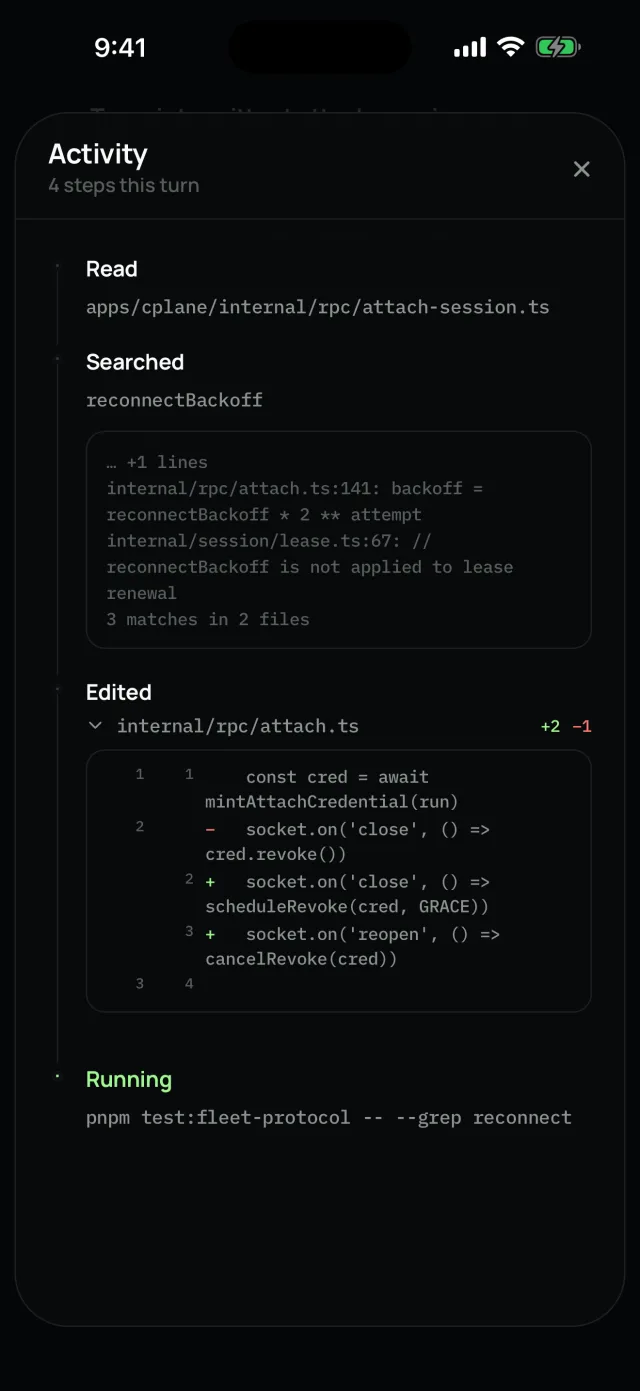
Approve what a run asks for, answer its questions, steer a session mid-turn, and follow it to the pull request from your phone.
iOS AndroidComing soon
Steer a session
Needs you: allow or deny
Every step it took
Guardrails
Agents work on their own. You stay in charge.
Four simple controls make it safe to hand real work to agents, even when nobody is watching.
Spending limits
A task only starts if it fits the budget.
Set limits for the whole company, for each project and for each agent. Before a task starts, AOSplane checks that all three can cover it, and the lowest limit always wins.
Money set aside for tasks already running counts too, so tasks running side by side can’t overspend.
Limits stop new tasks from starting. They don’t cancel work that’s already running.
Model costs stay on your own AI account.
CompanyProjectAgent
Move up and down over the coins to size a task.
Spend, as it happens
Example
$186$001234567890012345678900123456789 of $300
62% of this project’s monthly limit
Every task’s cost shows up in the console, and counts toward each of its limits.
Point at a locker to open it.
Its own private sandbox
Every task runs in a fresh, isolated sandbox in the cloud, kept apart from your other tasks and from other customers.
Move closer to open the lock.
It asks before anything sensitive
When an agent wants to do something risky, like change a production database, it stops and waits. You approve or deny it from the console.
Move up and down to look back.
A record of every step
Each task keeps a step-by-step history: what it was asked, what it ran, and who approved what. Every entry is checked as it’s written, so changes can’t slip in unnoticed.
Pricing
Start free. Grow when your team does.
Every plan includes monthly usage credit. Model costs go to your own AI account, with no markup.
No. AOSplane runs the coding agents you already use, like Claude Code and Codex, in the cloud. It adds what a team needs around them: a private sandbox for every task, spending limits, approvals for sensitive steps, and a record of everything they did.
You choose. When you set up an agent, you pick which coding agent it runs and which model it uses. Matching each task to the best agent automatically is something we are still building.
A new task doesn’t start if its cost would go over any of your limits: the company’s, the project’s or the agent’s. Tasks that are already running are not cancelled by that limit.
Yes. Connect an Anthropic or OpenAI API key, Amazon Bedrock with an AWS role or a bearer token, Claude Platform on AWS, Azure OpenAI, another compatible provider, or a Claude or ChatGPT subscription you already pay for (sign-in for subscriptions is still rolling out). Agents use the account directly, so the provider bills you and its limits apply, with no markup. AOSplane bills separately for platform usage.
An agent can stop and ask for permission before a sensitive step. You see what it wants to do, then approve or deny it. Your answer is saved in the task’s history.
No. Every task runs in its own isolated sandbox, and agents can’t push to your repositories. Their changes come back as a pull request for you to review.
Get started
Give your agents their first task.
Connect your AI account, pick a repository and hand off a task. The free plan is ready in minutes.